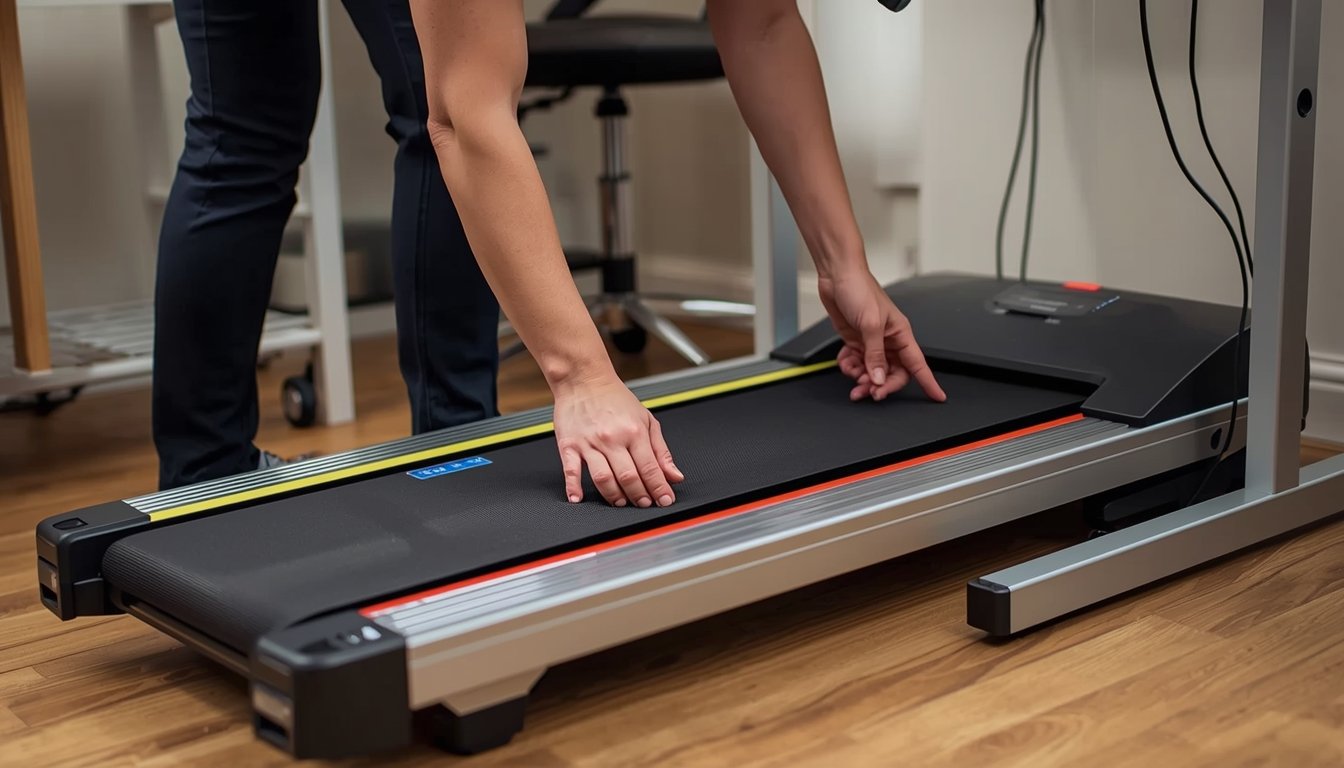
Common walking pad problems usually come down to a few practical issues: the belt drifts to one side, the machine gets noisy, it feels jerky, it stops unexpectedly, or it seems less stable than usual. In many cases, the fix is simple and involves cleaning, checking the floor setup, following the manual for belt adjustment, or changing how the machine is used day to day. If you are already comparing the best walking pads for home office use, it also helps to know that even a good model will need occasional troubleshooting to stay smooth and reliable.
Why walking pad problems happen in the first place
Most walking pad problems are not signs that the machine is ruined. More often, they are signs that something small has changed in the setup, the maintenance routine, or the way the machine is being used. A walking pad lives in a home environment, not a controlled gym setting. That means dust, pet hair, floor variation, daily movement, storage habits, and repeated low-speed use all have a chance to affect performance over time.
One of the main reasons these problems show up is that walking pads are compact machines. That smaller design is what makes them practical for home offices and apartments, but it also means there is less room for error. A slight floor imbalance, a buildup of dust, or a belt that moves out of alignment can become noticeable faster than it might on a larger treadmill. The machine is doing exactly what it was built to do, but it still depends on a stable surface and regular care.
It also helps to remember that many common issues are connected. A machine that becomes noisy may also have a belt tracking issue. A walking pad that feels less smooth may be dealing with debris, surface friction, or an uneven setup. Troubleshooting works better when you think practically instead of assuming the worst. Start with the basics, look for recent changes, and work through the simplest explanations before treating it like a major failure.
Common warning signs to check first
- The belt is drifting to the left or right instead of staying centered during normal walking.
- The machine sounds louder than usual, especially if the noise is rhythmic or linked to belt motion.
- The walking surface feels jerky, sticky, or less smooth at your usual working speed.
- The unit seems less stable underfoot, especially if it was previously steady on the same floor.
- The walking pad stops unexpectedly or hesitates when starting, even though the power setup seems normal.
- The frame, edges, or underside show visible dust, lint, or debris buildup that may be affecting movement.
- The machine performs differently after being moved, stored, or placed on a different surface.
How to fix belt drift, uneven movement, and rough walking
Belt drift is one of the most common walking pad complaints, and it is also one of the most manageable if you deal with it early. If the belt starts sliding toward one side, the machine may still work, but the walking experience becomes distracting and the problem can get worse with continued use. In most cases, belt drift is linked to alignment, floor setup, or the way the machine sits after being moved.
The first thing to check is the surface underneath the walking pad. If the floor is uneven, soft, or inconsistent, the machine may not sit properly, and the belt can begin tracking off-center. This is especially relevant if the unit has been used on carpet, moved between rooms, or stored and brought back out. Before changing anything else, make sure it is sitting flat and stable where you normally use it.
After that, check the manual for the specific adjustment method recommended by the manufacturer. Small belt corrections are usually better than large changes. The goal is to bring the belt back to center gradually, not force it into place in one big adjustment. If the belt also feels rough or uneven while walking, inspect the edges and walking surface for lint, dust, or debris. Sometimes the “problem” is really a combination of slight misalignment and poor cleanliness. Fixing both at the same time usually works better than focusing on just one.
Why noise, vibration, and shakiness often get worse
A walking pad that suddenly sounds louder or feels shakier is often reacting to something practical rather than something catastrophic. Noise can come from belt friction, dust buildup, an unstable floor surface, or simply a change in how the machine is being used. If the walking pad used to feel quiet enough for normal home office use and now seems much more noticeable, that change itself is the clue. Something in the setup or maintenance routine has likely shifted.
Vibration is often tied to flooring and placement. A machine on hard flooring may transfer more sound through the room than the same machine placed more carefully on a suitable surface. If the pad is not fully level or if one side is not making even contact with the floor, the walking experience can feel shaky even when the machine is technically running correctly. That is why noise and stability problems often appear together.
Another practical cause is gradual dirt buildup. Dust and lint around the deck, side edges, and underside can contribute to extra sound over time. If the machine has transport wheels and is moved regularly, debris from one part of the house can also travel with it. The fix is usually to clean the machine thoroughly, check the floor setup, and compare the current sound with how the unit felt when it was operating normally. A walking pad should not feel dramatically rougher or louder from week to week without a reason.
Simple fixes that usually solve everyday problems
- Move the walking pad onto a firm, level surface and retest it before changing anything else.
- Clean the belt edges, frame, and surrounding floor area to remove dust, hair, and lint.
- Check that the power connection is secure and not being interrupted by a loose plug or awkward cable position.
- Review the manual before adjusting belt alignment or lubrication so you do not guess the fix.
- Use the machine at your normal pace first, not an unusually high speed, when testing for changes.
- If the walking pad was recently stored, unfolded, or moved, assume setup has changed and recheck the basics.
- Stop using the machine if it feels unsafe, heavily unstable, or mechanically wrong rather than pushing through it.
When a problem is minor and when to stop using the machine
The most useful skill in walking pad troubleshooting is knowing which issues are minor and which ones should make you stop. Minor issues usually include early belt drift, light dust buildup, or a change in noise that clearly seems related to the floor or cleaning. These are the kinds of problems that often improve once the machine is cleaned, set up properly, and checked against the manual.
More serious issues feel different. If the machine repeatedly stops during use, makes strong mechanical noises, smells unusual, feels unsafe underfoot, or keeps losing alignment even after careful correction, that is no longer a simple maintenance problem. At that point, continuing to use it can make things worse and may create a safety issue in a home office environment where the machine is meant to feel predictable and controlled.
It also helps to avoid the habit of “testing” a clearly faulty machine by using it harder. If something already feels wrong at low speed, pushing through longer sessions is rarely helpful. The better approach is to stop, inspect the basics, and decide whether the issue still looks like a routine fix. A good rule is simple: if the machine feels different but still stable, start with cleaning and setup checks. If it feels unsafe, inconsistent, or repeatedly unreliable, stop using it until the problem is properly understood.
How to prevent the same walking pad problems from coming back
The easiest fix is the one you never need to make twice. Most recurring walking pad issues come from repeated habits rather than one-time events. If the machine is always used on the same firm surface, cleaned regularly, and stored carefully, common problems are much less likely to return. Prevention is not complicated, but it does depend on consistency.
Keep the area around the machine clear and dry. Check the belt visually before use, especially if the walking pad is moved or stored between sessions. Clean around the deck and under the frame often enough that dust never becomes part of the machine’s normal condition. If the manufacturer recommends lubrication or adjustment at certain intervals, follow that schedule rather than waiting for the machine to feel bad first.
It also helps to use the machine in a predictable way. Start smoothly, avoid rough handling, and pay attention when something feels different. Walking pads usually give early signs before a problem becomes serious. A small increase in noise, a slight drift in the belt, or a change in underfoot feel is worth noticing. When you respond early, the fix is usually easier, cheaper, and less frustrating. That is really the core of good troubleshooting: not just fixing problems, but making them less likely to come back.